Distributed Cognition

In the video, Google Docs in the Classroom, there were different technologies in use. Students in the class used computers, the internet and Google Docs. The students in the classroom were able to use Google Docs, via the internet and their computers, to collaboratively work on projects in small groups. During their work in small groups, the teacher was able to also have access to their work and listen to their conversations and then help instruct them closer to their goals within the assignment.

Student’s capacities to learn are increased due to the technology because there is more information available to them using the internet, rather than an outdated textbook. The teacher is more capable of giving immediate feedback to individuals or groups.

The effects of technology in this video are that students are building a relationship with Google Docs as individuals as well as within their small groups. The effect of technology is that as active learners they are able to enhance their understanding of the material due to the technology. The effect with technology in this instance is that the students and teacher is engaging with the technology actively and all at the same time. The effect through technology is that they are able to keep their data and work neat and organized and all together in order to aid cognition. Each student is able to put their thoughts together at the same time and then organize it appropriately. They are also able to work within their groups and have discussion while this is happening. Students can bounce ideas off of one another for a better and more thought-out finished product.

Technology does not make the students in this scenario smarter, it allows them to think differently, understand and interact with material in a different way and have access to more up-to-date data and information with the click of a button. It also allows the teacher to evaluate and assess the students in a more active manner.

Distributed cognition refers to the process in which resources are shared socially in order to accomplish something they wouldn’t have been able to without using said resource. The use of Google Docs in this video is a great example of distributed cognition. The way the used the technology (resources) socially to extend their thinking and understanding to accomplish projects that they wouldn’t have been able to without using the technology.

Salomon, G. & Perkins, D. (2005)
Field Observation Blog Post

I have been conducting my observations at the Hawken School. The technology department is made up of ten adult members as well as a student staff of about 15 currently active students. The three main contacts in the tech office include Ryan Wooley, Chief Technology Officer and Assistant Directors of Technology Rick Bartel and Dave Solema. There is also Rennie Greenfield and John Guinan who are charged with Technology, Library and Media Services. I have spoken with all of the above members about working with technology both in and out of the classroom as well as availability from off campus.

There is a plethora of different technology available to the students at Hawken. All students are provided with a Lenovo Yoga for the duration of their schooling beginning in the seventh grade and prior to those years, students have access to tablets in each classroom. All employees are given a Lenovo Yoga as well. All members of the community (students, faculty, and staff) have access to projectors, sound systems, Adobe programs, Microsoft Office Suite and many other options for programming. There is an entire multi-media center in the building where students have a green screen or white screen and can create original content for projects. Everything created from the lap top can be shared to the cloud (Hawknet) where students and teachers have access to data. There is a lot a 3D printing studio and a Fab Lab where students can build and create using technology. There are projectors in every classroom that students have wireless access to from their school issued lap tops. In the athletics building for human performance classes, students have access to pedometers and heartrate monitors. Their progress is automatically sent to an app on any smart mobile device so they can keep track of their physical well-being. All of these features are at no extra cost to the students or family.

If students are having any issues with their devices, there is a tech office staffed with three adults as well as their student staff at all times. They have loaners available for students if they can’t figure out the problem quickly.

In an interview I conducted with John Guinan, he stated that the technology department (for application level firewalls), can block specific applications to each individual device depending on whom has control of the device. “Rules are created to allow or deny entire application and can even allow a certain application, while blocking individual features of the app. For instance, many schools block such applications such as snapchat or YouTube.” He also admitted that the firewall is pretty easy to get around. Students have figured out that they can connect to their mobile phone’s hotspot in order to get around the firewall that the schools server uses. Hawken also uses VPN or the Tor Browser to help with safety and security for its users. 

A systems admin, or other IT professional is in control of the firewall and its’ settings. All five members of the tech team listed above have been extremely helpful in understanding the technology that is available at Hawken. They are all extremely knowledgeable and willing to talk about how to progress with technology in the classroom setting.

Storyboard and Script

^ Story board graphics via Canva.

Script:

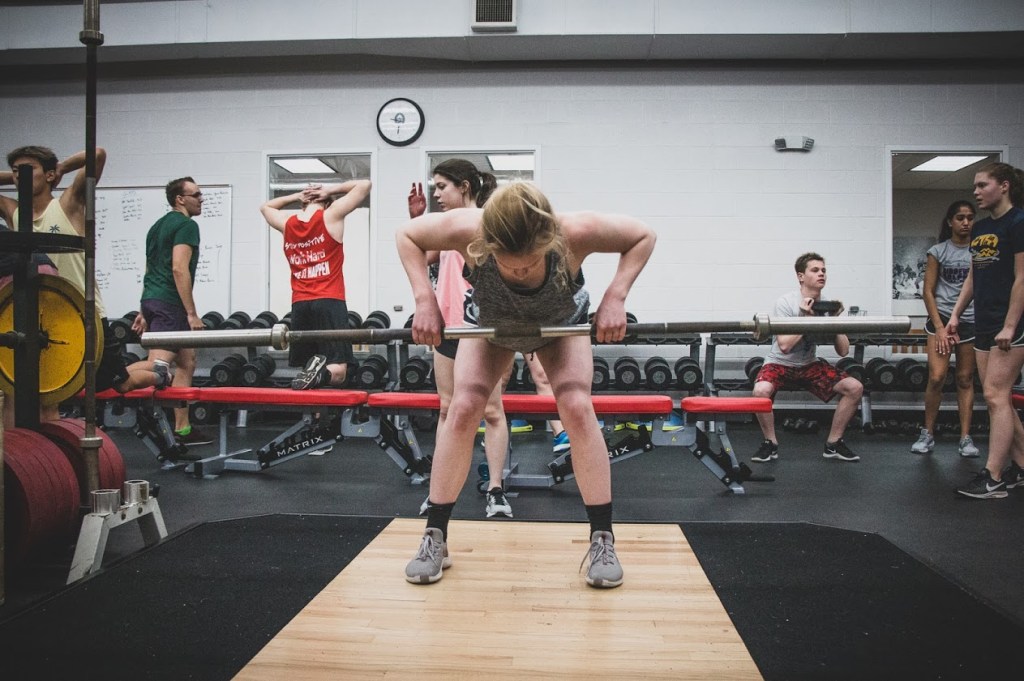
Video fades in from a black screen to a high school student lifting weights in the weight room. In the background you can hear the clinking noises of weights.

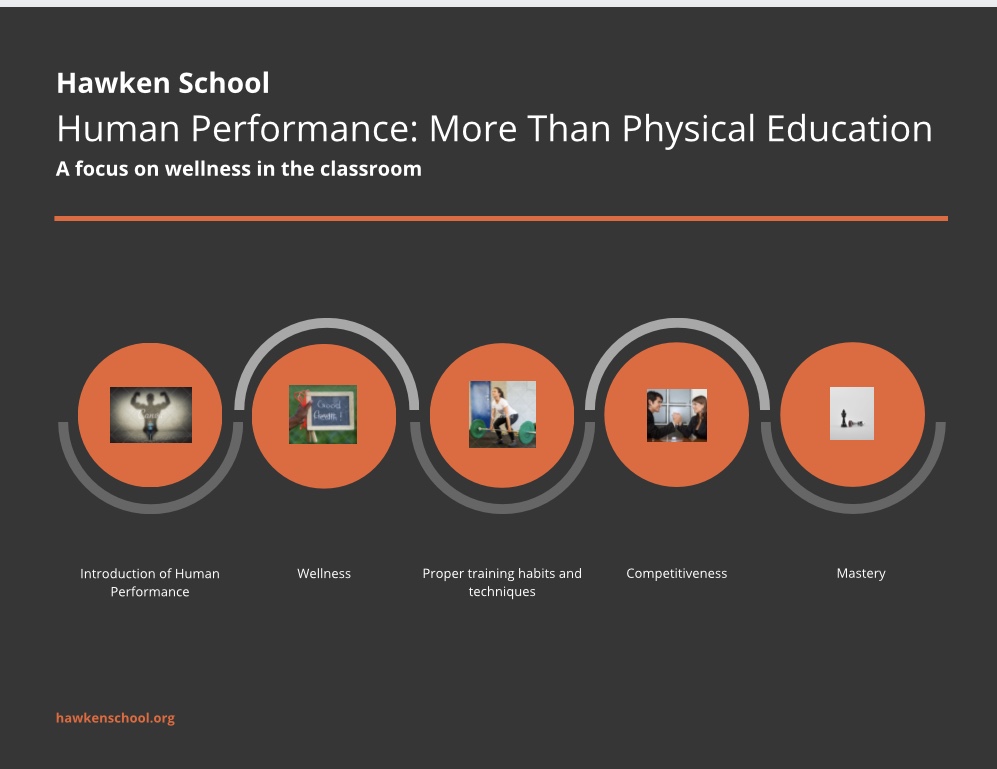
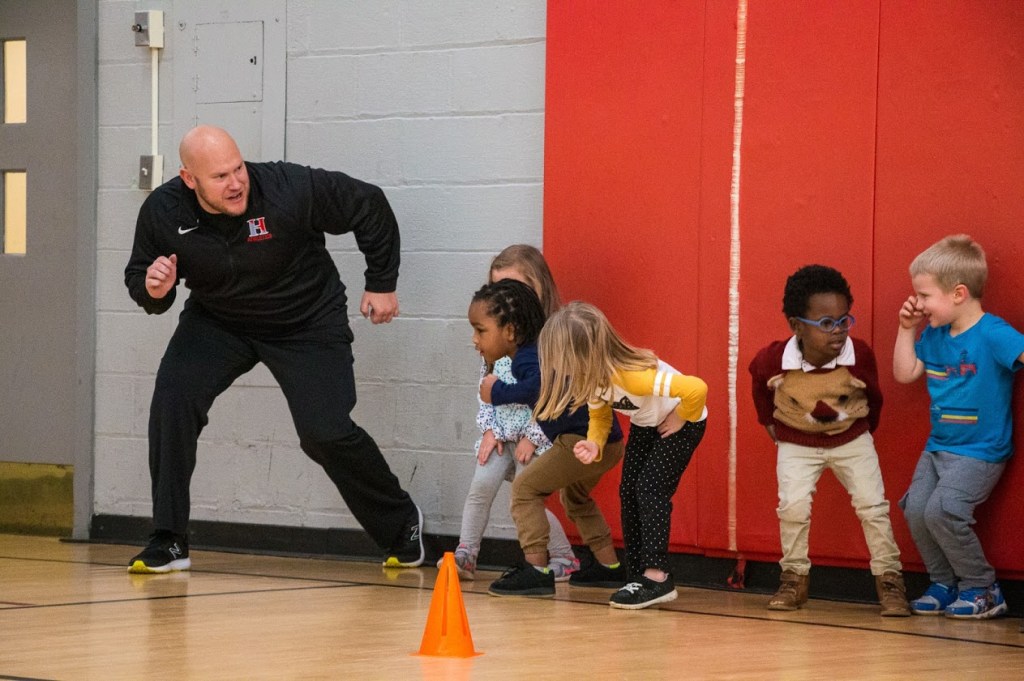
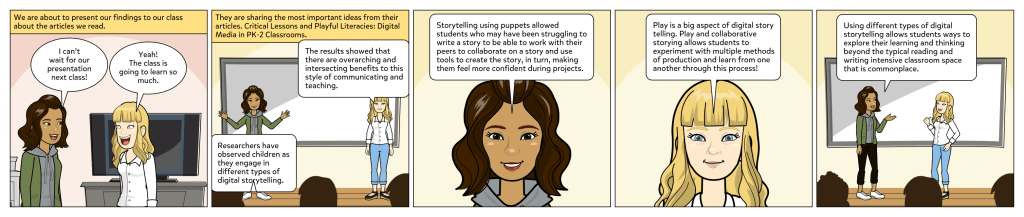
Voice Over: In the fall of 2019, Hawken’s Physical Education program was re-established as the Human Performance Department.  The goal of Human Performance, in coordination with Hawken’s Athletic Department and Strength Program, is to provide fully integrated, developmentally appropriate curriculum and programming for all Hawken students.  The long-term active development approach features a continuum from kindergarten through grade 12. (during this intro, there are graphics of students form K-12 engaging in different activities.)

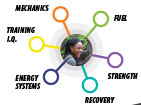
Flashes to a photo of a bubble chart enter onto the screen. It will focus on a different part of the bubble chart depending on which I am speaking about.

Voice Over: Because the HP Department recognizes the significant role that physical development plays in our daily lives, Hawken’s student-centered approach to training and fitness is designed to engage the individual, inspire confidence, and unleash potential. Every element of our program is targeted toward enhanced function and skill. The areas of focus include mechanics, fuel, training, energy systems, recovery and strength.

More photos of students focused on activities using proper form will come across the screen.

Voice Over: The mission of the Human Performance department is for individuals to identify the correlation between their physical presence and ability to perform – in the classroom, theater, band, athletics, life. We provide the platform, resources, and guidance to enhance student achievement and to strengthen athlete development. This environment allows students to experience the daily process and training necessary for success and helps inspire them to determine their own path and unleash their potential. Our students will thrive with energy and creativity while our athletes train with unparalleled competitive spirit.

Field Observations | Reflections about your students

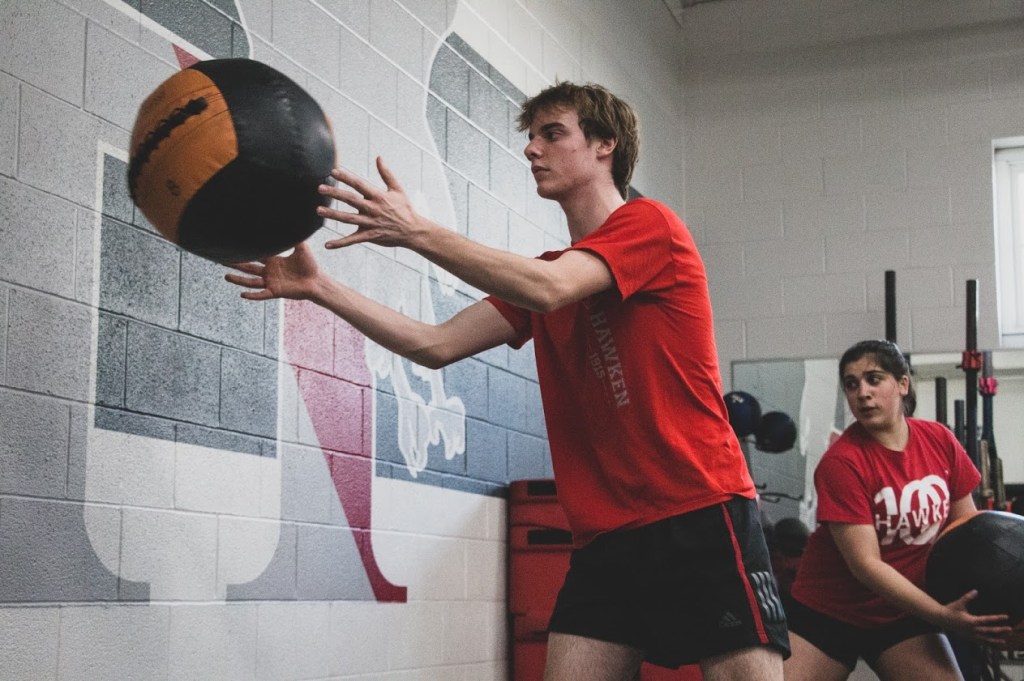
The students that I am observing are currently taking a Human Performance 101 class at Hawken. In this class they are required to use heart rate monitors and pedometers during the class period to better understand their physical activity.

The students all are given their technological equipment at the beginning of the class and are required to wear it for the full hour. In the corner of the gymnasium is a large television screen hooked up to a laptop that displays a program so they can see each student from the classes progress in regards to their heart rate and steps taken. The heart rate data is color coded, so green is comfortable, yellow is pushing your heart rate and red means it is high. The students are learning which levels their heartrate needs to be at and how long the heart rate needs to remain there in order to achieve the results they are looking for.

At the beginning of class, the teacher takes the students through a warm up before their main activity and this week’s activity was kickball. During the warm up I observed a lot of students checking their heartrate monitor or pedometer to see where they are at with their data. Following the warm up, more than half of the class would approach the larger screen and discuss their data with their peers. The students also have access to this information on their personal lap tops that are distributed by the school to each student. The teacher provided the students with multiple scenarios and had them working in small groups to decide where the heart rate should be in order to obtain the goals.

When talking to the students about using this type of technology outside of the classroom, 12 of the 15 students stated that they track their steps or heart rates. Many of them use their apple watch while others use a fit bit or other tracking device. On their apple watch they can monitor their heart rate throughout the day, check the amount of steps they have taken as well as how many calories they have burned. I also talked to the students about social media and if they think it could be helpful in the classroom setting. Most students feel that technology and different applications are such a large part of their lives, it would be helpful to learn how to use them in regard to academics. The students felt that using their current surroundings and updated technology only improves their understanding of the knowledge the teachers are trying to pass along.

The final thing that I discussed with the students was how the use of technology in a physical education/human performance class enhanced their experience. Some of the students who have no interest in physical activity said they actually enjoyed this class now because there is an element of statistics that they can analyze after they complete their goal.

Video Gaming Unit Conclusion

After playing Poptropica for a couple weeks, I have come to the conclusion that using this game in the classroom would not be as beneficial to a child using this game at home as a supplement to information they have already been taught in school. This game in particular gives parents comfort knowing their child is playing in a safe and secure environment.

After reading Squire, I realize that as students are playing this game, they truly can become their character and feel as though they are personally traveling through the islands of different school subjects. The students are able to learn by doing.

I classify Poptropica as a sandbox game. The game provides an environment for the students to experience a low risk and safe game-play while using creative and exploratory elements. There are tutorials where the student is unable to fail, but rather learn the skills to participate in activities on other islands and then move to the next area when they feel competent within the game and their skills.

If I were a teacher, I would recommend this game to parents who are looking for safe ways to supplement classroom activities at home. It is a great source for parents and students to bond over academic materials at home.

Continued Play of Poptropica

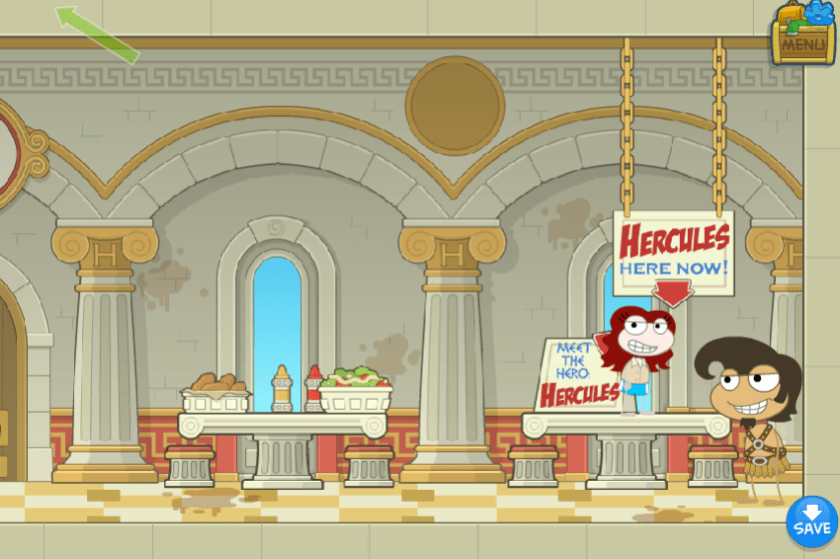
I have continued to explore, learn and improve my skills within Poptropica. There are multiple islands that all have different themes. Today, I am going to focus on the mythology island.

This game allows it’s players to work in an sandbox environment where it is safe and controlled. They are able to explore without worry of failure. As you walk through the level, you can interact with different characters and get more background information about what is going on in the game.

Poptropica definitely assumes that the students who are playing this game have context to the story of Zeus and Hercules. If they do not have any of the information before playing, they would just be moving through the worlds without learning anything. This game allows students to make their own decisions on where to go and what to explore all while getting factual information about history in a more entertaining way.

What this game is missing is the ability to play with other students online and interact with peers. This game could also be confusing to students as the navigation is difficult to use and there are no prompts in the game to explain where to go or what to do next if they get stuck.

This is a great game for students who have context and are interested in exploring the world of history in a fun and safe environment.

Learning to Play Poptropica

Poptropica is a game that includes quests, stories and mini games that students can engage in individually or in groups in the classroom.

I had never heard of Poptropica, but when I searched the game, it definitely is very colorful and looks like it could be engaging for students.

When you first enter the game, you get to create your own character down to their clothing, eye shape, hair style and a unique name. I chose Lazy Bear.

Personally, I find the game a little difficult to navigate, being that you couldn’t see everything on one screen. There are a series of shops, where you can actively play in different settings. The first place that I visited was the pet store, where I adopted a puppy.

There is a tutorial for new players, which is the next place I decided to go. The goal was to collect gold coins and learn the basic mechanics. As you move through the level (reminded me of the original Mario) you can interact with animals and other people in the game.

After completing the tutorial, I missed four of the 10 coins because I was unfamiliar with the navigation. This is definitely a game that would require some time and familiarity by the teacher in advance. I am not sure at this point, what academic advantages this program offers, but as I continue to explore the game through this unit, I am confident that I will get more from the program.

Allie's Blog

Educational Technology Dr. Shutkin

Deron's blog

From in-house to in-the-classroom

Educational Technology in the World | David

ED3410 & ED5410 educational technology integration, workshop and field study

Educational Technology in Athletics | L. Butler

Using Technology in Human Performance Environments

Discover WordPress

A daily selection of the best content published on WordPress, collected for you by humans who love to read.

The Atavist Magazine

Using Technology in Human Performance Environments

Longreads

Longreads : The best longform stories on the web

WordPress.com News

The latest news on WordPress.com and the WordPress community.

Design a site like this with WordPress.com
Get started